Garbage Disposal Not Spinning? Hum vs. Silence and What to Do
The sound it makes, or does not make, tells you most of what you need to know. Start with the free fixes before calling anyone.
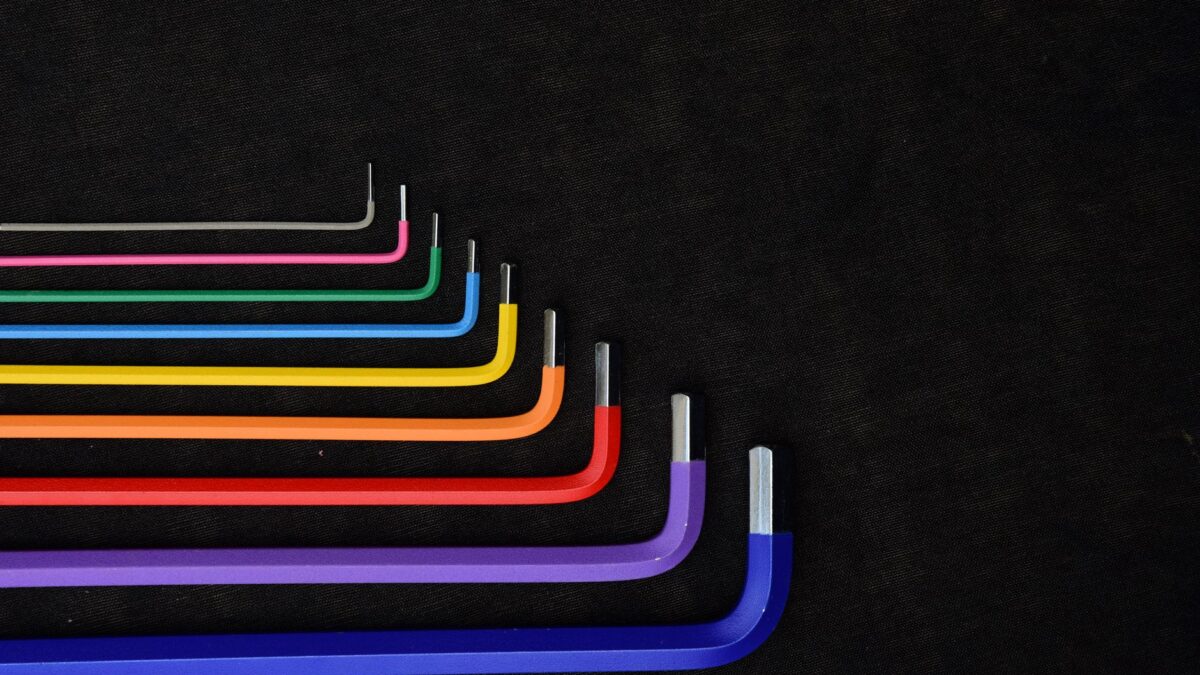
If your garbage disposal is not spinning, listen first. If it hums, it is almost certainly jammed: turn off the power, insert a 1/4-inch hex (Allen) wrench into the socket in the center of the bottom of the unit and work it back and forth until it turns freely, then remove the object and press the red reset button. If it is silent, it is not getting power: check the reset button, the breaker and the wall switch. Both fixes take about 10 to 15 minutes. Never put your hand into the disposal, and keep the power off while you work on it.
First: hum or silence?
| What you hear | What it usually means | Start here |
|---|---|---|
| Steady hum, no grinding | Motor has power but the turntable is stuck | Unjam with a hex key (below) |
| Hum, then it cuts out | Jam caused the overload protector to trip | Unjam, wait, press reset |
| Complete silence | No power reaching the motor | Reset button, breaker, switch, plug |
| Spins but grinds slowly or rattles | Something hard in the chamber | Power off, look and remove with tongs |
| Hex key turns freely but motor still hums | Possible motor or start component failure | Likely replacement; see below |
What you need
- 1/4-inch hex (Allen) wrench, or the self-service wrench that came with the disposal
- Flashlight
- Tongs or needle-nose pliers
- Bucket or bowl to bail out standing water
If it hums: free the jam
- Turn off the disposal at the wall switch. Then unplug it under the sink or switch off its breaker. A humming motor pushing against a jam can overheat, so do this right away.
- Bail out any water in the sink so you can see into the chamber.
- Find the hex socket. It is the small hole in the center of the bottom of the disposal, facing the floor.
- Work the wrench. Insert the hex key and crank it back and forth. Some resistance is normal. Keep going until it turns full circles in both directions. InSinkErator notes its own wrench is designed to bend before the disposal is damaged, so firm pressure is fine.
- Remove the object. Shine a flashlight into the sink opening and look around the edge of the turntable. Pull out whatever caused the jam with tongs: common culprits are fruit pits, bottle caps, bones, cutlery and small glass pieces. Freeing the plate without removing the object just leads to the next jam.
- Press the reset button. It is usually a small red button on the bottom of the unit. If it has tripped, it sits slightly lower than normal. Press it gently. If it will not stay in, wait about ten minutes for the motor to cool and try again.
- Test. Restore power, run cold water and switch on. If it jams again, repeat the process. Stubborn jams sometimes take two or three rounds.
Some models without a bottom socket have you rotate the turntable from above with a wooden spoon handle or broom handle instead. Check your manual. InSinkErator’s jammed disposal page covers model differences for its units.
If it is silent: find the power problem
- Press the reset button. Overheating or a jam can trip it even if you did not hear a hum. See how to reset a garbage disposal.
- Check the breaker. Look for a tripped breaker in the kitchen circuits; it usually sits in the middle or off position. Switch it fully off, then on.
- Check the plug. If the unit plugs in under the sink, make sure the plug is seated. Test the outlet with a lamp, remembering it may only be live when the wall switch is on.
- Check for a GFCI outlet. If the under-sink outlet or a nearby countertop outlet is a GFCI, press its reset button.
- Consider the switch. Wall switches and air switches (a push button on the countertop) do fail. If everything else checks out, the switch is a likely suspect.
If none of that restores power, read garbage disposal not working after reset for the next round of checks.
How to prevent jams
- Run a moderate flow of cold water while grinding and for a few seconds after.
- Feed food gradually rather than packing the chamber.
- Keep hard and fibrous items out unless your model is rated for them. See what not to put in a garbage disposal.
- Use a sink stopper or strainer when the disposal is not in use, so cutlery and bottle caps do not fall in.
When to call a pro
- The hex key spins freely but the motor still hums and will not turn the plate: the motor or an internal part has likely failed. On most household units that means replacement rather than repair.
- The reset button trips repeatedly even with an empty chamber.
- You smell burning, see scorch marks or the unit gets very hot.
- There is any sign of water leaking from the bottom of the unit.
- The breaker trips every time the disposal starts; have a licensed electrician check the circuit.
Before paying for service, check whether the disposal is still under its manufacturer warranty. Many disposals carry multi-year warranties, and some cover in-home service or replacement.
Bottom line
A humming disposal is jammed: power off, hex key from below, remove the object, press reset. A silent disposal is a power issue: reset button, breaker, plug and switch. If the plate turns freely and it still only hums, the unit is probably worn out.
FAQ
What size Allen wrench fits a garbage disposal?
Most household disposals with a bottom socket take a 1/4-inch hex key. The wrench supplied with the unit fits it exactly.
Can I unjam it with a broom handle from above?
On some models, yes. Use it only with the power fully off, and prefer the bottom socket if your disposal has one.
Is it bad to leave a humming disposal on?
Yes. A stalled motor heats up quickly. Switch it off immediately and the overload protector will usually have tripped anyway.
Why does my disposal keep jamming?
Usually too much food at once, hard objects or fibrous scraps. If jams happen with normal use, a worn or underpowered unit may be the cause; see our horsepower guide.